Flagship Case Study
I Run My Whole Company on a Cast of Seinfeld Characters— and the casting is the engineering, not the gimmick.
Every role in my AI operating system is played by a Seinfeld character: Jerry runs the front door, Joe Devola routes the traffic, Kramer builds the integrations, Newman watches the whole thing 24/7. The casting isn't decoration — it's how a 15-agent operation stays legible enough for a team to actually trust, debug, and run. Underneath the cast is a real architecture: an orchestrator, specialized agents, a QA gate, and human handoffs where judgment matters.
The Problem
One assistant can't do everything
One giant AI assistant sounds simple — until you have to run it. A single monolithic prompt trying to do everything becomes hard to maintain, risky to change, and difficult to scale.
Every new capability competes for the same context. Failures are opaque. And no one on the team can see why the system did what it did — which means they can't trust it, debug it, or improve it.
So instead of one assistant doing everything, the work is split across specialized agents that each own a clear responsibility — routed by an orchestrator, checked by a QA gate, and handed to a human when judgment is required.
Then I cast the roles. Each agent is a Seinfeld character with one job: Jerry interprets the request, Devola routes it, Elaine writes, Kramer integrates, Mickey signs off. The casting is deliberate — a familiar ensemble makes the org chart instantly legible and genuinely fun to operate, which is exactly why a team adopts and trusts it. Strip the names and the architecture underneath is clean and inspectable; keep them and everyone remembers who does what.
- Hard to maintain
- Risky to change
- Opaque failures
- Doesn't scale
# public-pulse
Live11 agents · auto-updating

Gateway healthy
HTTP 200 · 24d uptime · 198ms response · auto-paged: none

Daily SHIP — Mickey QA
17 audits complete. Accessibility B+, navigation B+, deployment status green.

Daily Market Intel
Tier-1 outreach candidate identified — local home services. Coverage gap pattern + emergency premium 39-70%.
5 cron errors detected
Auto-paged. Evening pipeline + daily build affected. Patterns logged for review.

Campaign package shipped
LinkedIn carousel (8 slides) + TikTok script + Instagram ad — production-ready.
Live Ops
The war room, in your pocket
What you'd see looking over my shoulder right now — the cast on the job. Jerry routing requests, Kramer wiring integrations, Newman flagging issues, Mickey signing off on QA: specialized agents posting status, daily ships, pattern observations, and the occasional catch. A public-safe slice of the real internal feed. Tap or hover to pause.
# war-room
Live · 11 agents · auto-updatingDaily decision queue cleared
6 priority calls reviewed, routed, and acknowledged. Devola taking it from here.
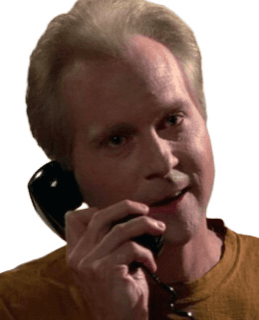
Sprint cycle 14 — 100% sequenced
23 tasks across 8 agents. Parallel where safe, serial where dependencies require it.

Outbound day plan locked
Top 5 accounts segmented by trigger event. Sequences staged for personalization pass.
ICP refresh — 12 verticals scanned
Coverage gaps and entry triggers documented. Top-3 candidates promoted to Frank.
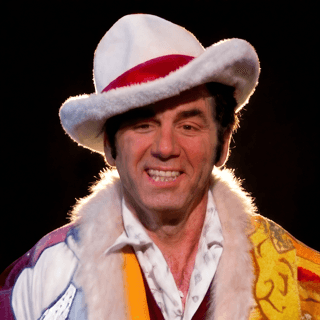
HubSpot ↔ Slack ↔ Retell bridge live
Closed-deal trigger fires welcome sequence + onboard board + scheduled intro call. End-to-end tested.

Voice piece in pipeline — stage 2 of 3
Draft → brand-voice pass complete. Handed to Mickey for QA before publish.

Pricing tier remix — 14% margin lift
Modeled across 3 ARR brackets. Sensitivity analysis attached. Awaiting Jerry's call.
Quarterly visual system audit
Color refresh proposed across deck templates. Three direction concepts in review.
Names, dollar figures, client identifiers, and file paths are stripped at the source. What you see is the operating pattern, not the operational specifics. One more thing: on the HQ Cam, the crew is mid-flight on The Penske File — a fully fictional client engagement, staged so you can watch a multi-agent team share context. Go live, click any character, and ask how it's going. Their stories line up.
The Operating Model
Each character is a role. Each role is an agent.
I don't manage AI tools — I manage a team of AI agents. One instruction routes through an orchestrator to specialists who execute in parallel. Hover or tap any agent to see what it owns.
Hover, tap, or use arrow keys to explore
The Specialists — Execute in Parallel
The Conductor
Jerry
The only agent I talk to directly. Jerry receives the request, understands intent, confirms scope, and decides what the job requires — then hands it off. He doesn't do the work himself; he decides who does. Nothing goes out without his quality check.
- Single entry point — the only agent I talk to
- Interprets intent, confirms scope, decides what's required
- Owns the final QA gate — nothing ships unchecked
One front door = a system you can reason about, not a prompt soup.
Jerry decides what needs to happen. Devola decides how it gets done and who does it. Between them, any request — from a quick question to a multi-week project — gets routed, executed, and delivered without me managing the middle.
Why This Matters
Businesses don't need another chatbot
Most AI projects fail because they're built as isolated tools. A chatbot answers one question at a time; it doesn't move a workflow forward.
Businesses need systems that route work, coordinate teams, enforce process, maintain context across handoffs, trigger follow-up, and drive measurable outcomes — not a smarter prompt box.
This is what I design and ship: AI operating models that non-technical teams can actually understand, trust, debug, and improve.
Anyone can buy ChatGPT seats. Designing the operating model that turns AI into actual leverage is the work.
Proof in Practice
What this actually looks like
Not one deep dive — the range. How many different kinds of work flow through the same system in a given week. One instruction in; a coordinated team out.
“Build me a SaaS product”
Come up with 10 SaaS ideas, research each, then fully develop the top three — mockups, social assets, landing copy, positioning, pricing. Present all three.
Puddy research · George pricing · Elaine copy · Peterman mockups · Kramer landing pages · Mickey QA
“Launch a content campaign this week”
A full content push for the new voice AI offering — blog post, LinkedIn carousel, three email sequences, a sales one-pager. Aligned, SEO-optimized, ready to publish.
Elaine all copy · George SEO · Peterman visuals · Frank sales one-pager · Mickey QA
“What are our competitors doing?”
A competitive intelligence report — who's doing multi-agent voice AI, what they charge, where the gaps are, where we're stronger and where we're exposed.
Puddy deep-dive · George analysis · Elaine brief · Jackie report & action items
“Automate this entire workflow”
Every closed deal in HubSpot should trigger a welcome sequence, a Slack ping, an onboarding-board add, and a personalized video intro. Build the whole thing.
Kramer automation · Elaine sequence · Peterman video script · Newman monitoring · Mickey testing
“Set up a voice agent for a client”
New client, a dental practice — a voice agent for appointment scheduling, insurance questions, and after-hours triage, on their existing CRM. Go.
Puddy research · Kramer integration · Elaine scripts · Frank follow-up · Mickey test calls · Newman monitoring
The complexity of the request doesn't change the process. Jerry confirms scope, Devola routes, the specialists execute, and I get a ping when it's done. This is the operating model I run my own company on — designed to re-skin for any team that needs the same routing, accountability, and human-in-the-loop discipline underneath.
Architecture
How every request flows
Not a script. An operating model: 2 leadership agents, 9 specialist agents, one QA gate, and a single human in the loop.
Theme Layer
The legible skin — naming and UX that make the system understandable
Agent Orchestration
Routes each request to the right specialist and sequences the work
Specialized Agents
Each owns one responsibility, with its own tools and memory
Tools & APIs
The capabilities agents call to actually get work done
CRM / Scheduling / SMS / Voice
The systems of record and channels the work touches
Business Outcomes
Booked jobs, recovered revenue, faster response, less manual work
The orchestration is one reusable component; the theme is a folder of markdown files. Re-skinning a deployment is a configuration change, not a rebuild.
Each layer makes the system easier to explain, easier to debug, and easier to scale.
Built with
- n8n
- HubSpot
- Retell
- ElevenLabs
- OpenAI
- Anthropic
- Supabase
- Vercel
One Architecture, Many Skins
The Theme Changes. The Operating Model Does Not.
The theme is the glitter — an internal engagement layer that helps the team operating the system reason about it at a glance and actually enjoy using it. Customers never see the characters; they experience a professional system doing real work. The same architecture re-skins for any organization. What actually matters underneath never changes: role clarity, state management, routing, QA, handoffs, and measurable outcomes.
For Hiring Managers
If You're a Hiring Manager
The Seinfeld theme is intentional, but it isn't the point — and it's an internal engagement layer. The cast keeps the team running the system oriented because the roles have memorable names they can hold in their head; customers experience a professional system doing real work and never see the wrapper.
The same operating model re-skins cleanly to business departments, sales and service teams, or plain operational job titles. The branding changes. The orchestration — routing, specialists, QA gate, human-in-the-loop — doesn't.
What you're evaluating here isn't the joke. You're evaluating my ability to design AI systems people can understand, adopt, debug, and operate.
Proof of Work
What This Project Demonstrates
How I decompose complex business problems
Breaking large, messy workflows into clear owners, responsibilities, and handoffs.
How I design specialized AI agents
Giving each agent a role, toolset, memory context, permissions, and success criteria.
How I orchestrate workflows
Routing work through the right sequence instead of relying on one giant prompt.
How I connect AI to operations
Designing systems that connect to CRM, scheduling, SMS, voice, reporting, and business workflows.
How I build human-in-the-loop safeguards
Knowing when automation should continue and when a person needs to step in.
How I make technical systems usable
Using storytelling, UX, and visual structure so teams can understand and adopt complex systems.
From voice AI to marketing automation to multi-agent systems, I design business architectures that connect AI, automation, and human teams into measurable outcomes.